Your Mac's spell checker, at once
The system's own checker marks spelling the moment the card opens. No model, nothing sent.
Features
Claude Code sessions at a glance, approvals in a click, an agent board, and a buddy that answers questions and helps you write and speak, on Apple Intelligence, for free. Scroll and the notch up top acts each one out.
Version 0.2.0-beta.17 · macOS 26 or later · notarized by Apple
It's a beta, and it updates itself: Settings → General → Updates.
Sessions
The closed notch says one thing at a time: who needs you, what stopped, what's working. Open it and every session shows what it reads, edits and runs.
Approvals
When Claude Code asks to run a command or asks you a question, the notch opens on it. Requests from several sessions wait in line; nothing is ever answered for you.
Agents
⌘⇧A opens the Agents window: sessions by folder, one thread at a time, the changes beside it. A board takes a task from Backlog to Done, one run per card.
Make the island's Home show what's next: the top three of Up next, then the sessions.
Worked 9 s · 3 tool calls · 1 file
Home now lists Up next above Sessions. The card takes the three highest-scored lines from UpNext and leaves the rest to the Sessions tab.
Ask
Ask about the page in front of you, a file you dropped, or anything at all. Apple Intelligence answers on your Mac; Apple's Private Cloud takes longer things on macOS 27. Hold ⌃⌥A: put Safari on the left, arrange your windows, start a focus. Luna shows where everything goes before anything moves.
Write with Luna · new
Select text in any app and press ⌃⌥W. A card opens right under it with every fix already on and the reason for each, so you learn the rule instead of just accepting it. ⏎ puts it back. Nothing selected? It checks what you copied.
macOS already underlines typos as you type. Luna does what it doesn't: it explains, it rewrites in the tone the app calls for, it turns speech into clean text, and it teaches you the mistakes you make most.
Try the card: click a fix, drop it, press Replace. The notch above follows along.
The system's own checker marks spelling the moment the card opens. No model, nothing sent.
Apple's on-device model writes the corrected text. Long text goes paragraph by paragraph, or to Apple's Private Cloud on macOS 27.
Luna compares the two, word by word, so each fix sits exactly on your words, then asks the model to explain each one. A correction that rewrote too much is thrown away.
⇥ on the card, then a number. Mail starts on Professional, Slack on Friendlier. Translate writes the way a native speaker would. A version that adds a name, a number or a day you didn't write is never kept.
You wrote
we cant do friday, the API isnt ready, maybe next week?
Hold ⌃⌥Space and talk. The wave follows your voice; let go and the ums, the repeats and the words you corrected on the fly are gone. Your words stay. ⏎ types it where your cursor was.
Menu bar → Practice Speaking. Rehearse a stand-up or a pitch: Luna measures your pace, fillers, pauses and repeats from when each word was said, then offers a stronger version to say again. Read-aloud mode marks the words it couldn't make out.
On Monday, Home's Up next offers your writing week: the rules that came back most, a short lesson on the first, and three sentences to fix. “I know this one” stops a rule's count. No streaks, nothing to keep up.
Both shortcuts can be changed in Settings → Writing.
| Direct | App Store | |
|---|---|---|
| Polish a selection | In place, in any app | Copy first, or right-click → Services |
| Put the result back | Replaces the selection | On your clipboard |
| Dictate | Types where your cursor is | On your clipboard |
| Practice, coach, Shortcuts | Yes | Yes |
The App Store version can't read other apps' text: Apple's sandbox doesn't allow it.
Drop
Drag any file onto the notch and your buddy catches it. Then pick where it goes.
Buddies
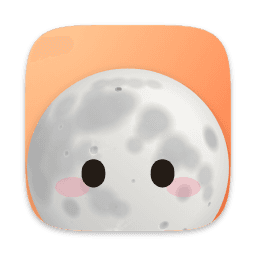
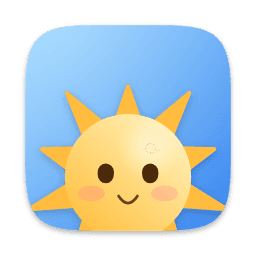
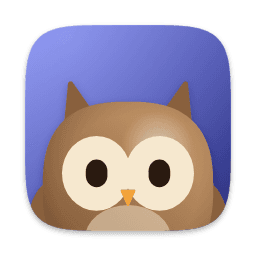
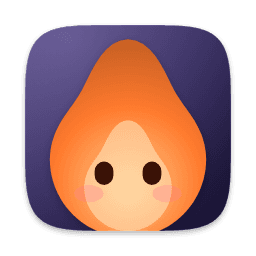
Each is drawn in code, has its own moves and its own colours: pick a buddy and the whole app takes its theme. Now and then it climbs out of the notch to play, never while you focus or answer Claude.



Focus
A Pomodoro in the notch: a ring, the time left, your last seven days. The buddy holds its tongue while it runs and warns you when a meeting would cut a session short.
Snapping
Drag a window to the notch and eight cards open under it, holding every size there is: halves, thirds, quarters, two thirds, a wide center between two sidebars, 18 in all. Point at one and a footprint on your screen shows where the window will land. Let go, and it's there.
Need a size of your own? Hold ⇧ and sweep it out on a grid. Another display? Its name is in the palette: rest on it and the window goes there. Rather use keys? ⌃⌥S opens the same palette for the window in front, and the ⌃⌥ shortcuts Magnet users know all work.
Try it: point at a zone, or press Grid and sweep.
Save every window on every display as a desk, and put it all back with ⌃⌥1–9. Ask it to, and Up next offers a desk when its displays connect again. Nothing moves until you say so.
Snap a window to two thirds and the notch offers your other windows for the third that's left, by app: click one, or press 1–4 after ⌃⌥S. Two windows you snap side by side keep their shared edge: drag it, and both follow.
Drop a window on your buddy and it waits in the notch, minimized. The closed notch counts them; one click puts each back exactly where it was.
Terminal always on the right third? Say so once. A ruled app's new window goes where its rule says, once, and then it's yours to move.
Start a focus session and Luna puts out the desk you chose and hides the apps you'd rather not see. Stop, and Up next offers your windows back as they were.
Open a Claude Code session's terminal from the notch and it lands on the right third, your editor on the left two thirds. Pick the editor in Settings; off until you do.
Every key can be changed in Settings → Snapping, where you can also draw layouts of your own on the grid and give them a key.
Your tools
Failing checks, review requests, deployments and your next meeting speak through Home's Up next, only when they have something to say, and only from the accounts you connect.
Private
About 0 % CPU with the notch closed. No account, no analytics, no telemetry. Keys stay in your Keychain, and Luna talks only to the services you connect and your own iCloud.
Read the details in plain words.
Privacy policy